

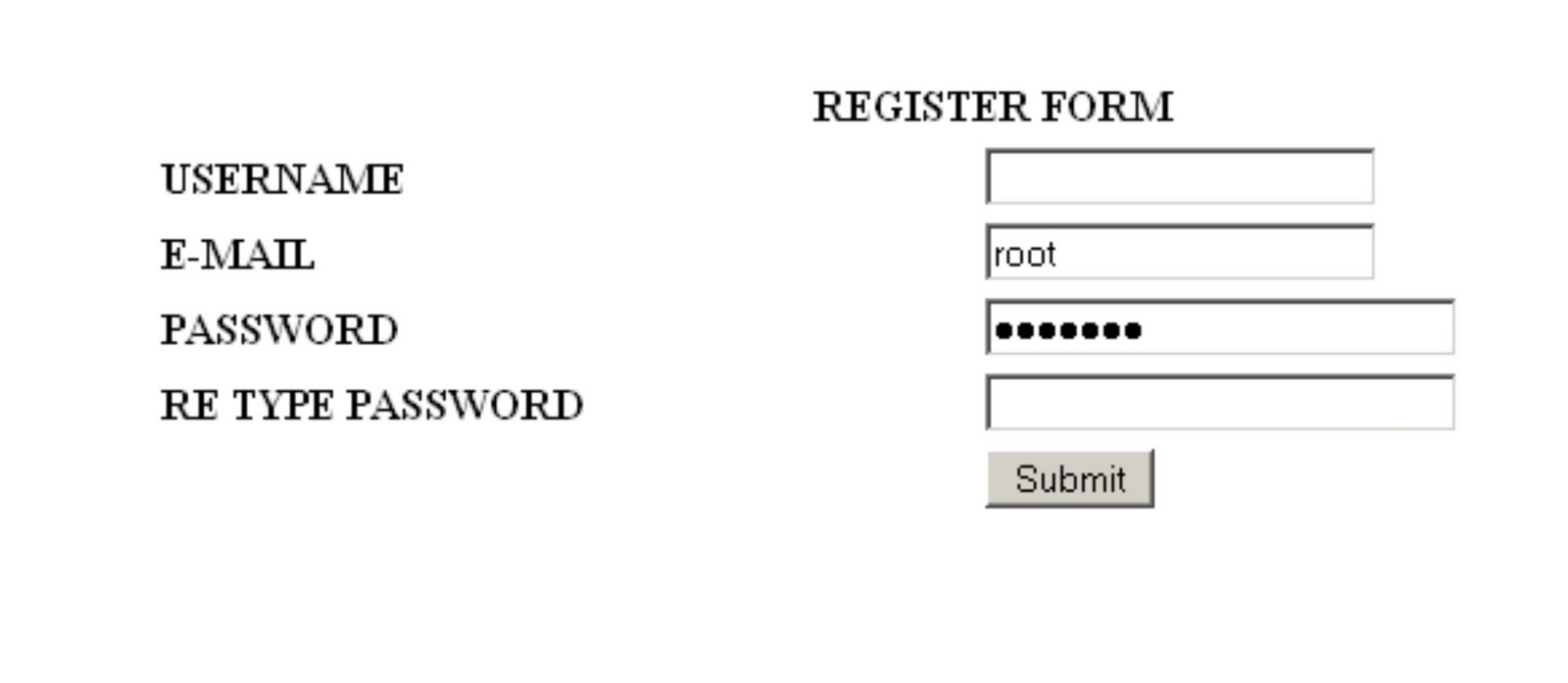
In this lesson, we build register form for our registration page. This is the code to make the form:
name it “register.php”
<form id="form1" name="form1" method="post" action="validate.php">

<p> </p>

<p> </p>

<div align="center">

<table width="50%" border="0" cellspacing="2" cellpadding="2">

<tr>

<th colspan="2" scope="col"><div align="center">REGISTER FORM</div></th>

</tr>

<tr>

<th width="49%" scope="row"><div align="left">USERNAME</div></th>

<td width="51%"><label>

<input type="text" name="username" id="username" />

</label></td>

</tr>

<tr>

<th scope="row"><div align="left">E-MAIL</div></th>

<td><input type="text" name="email" /></td>

</tr>

<tr>

<th scope="row"><div align="left">PASSWORD</div></th>

<td><input type="password" name="password" size="25" /></td>

</tr>

<tr>

<th scope="row"><div align="left">RE TYPE PASSWORD</div></th>

<td><input type="password" name="password2" size="25" /></td>

</tr>

<tr>

<th scope="row"><div align="left"></div></th>

<td><label>

<input type="submit" name="ok" id="ok" value="Submit" />

</label></td>

</tr>

</table>

</div>

<p> </p>

</form>
preview:
2 comments
jr_programmer
August 14, 2013 at 6:06 am (UTC 0) Link to this comment
(y) request tutorial php menggunakan framework yaa for next article ^^
Syarif Hidayatullah
August 23, 2013 at 1:24 pm (UTC 0) Link to this comment
noted, Codeigniter for next time.